OpenOCD使用
OpenOCD 是一款开源的调试器软件,得到STM32CubeIDE、CLion、Segger Studio和PlatformIO等软件支持。OpenOCD 可以作为基本的MCU固件烧录工具,也可以作为GDB Server提供在线仿真调试功能。
我们以Windows平台为例,介绍如何使用 OpenOCD 的固件烧录功能
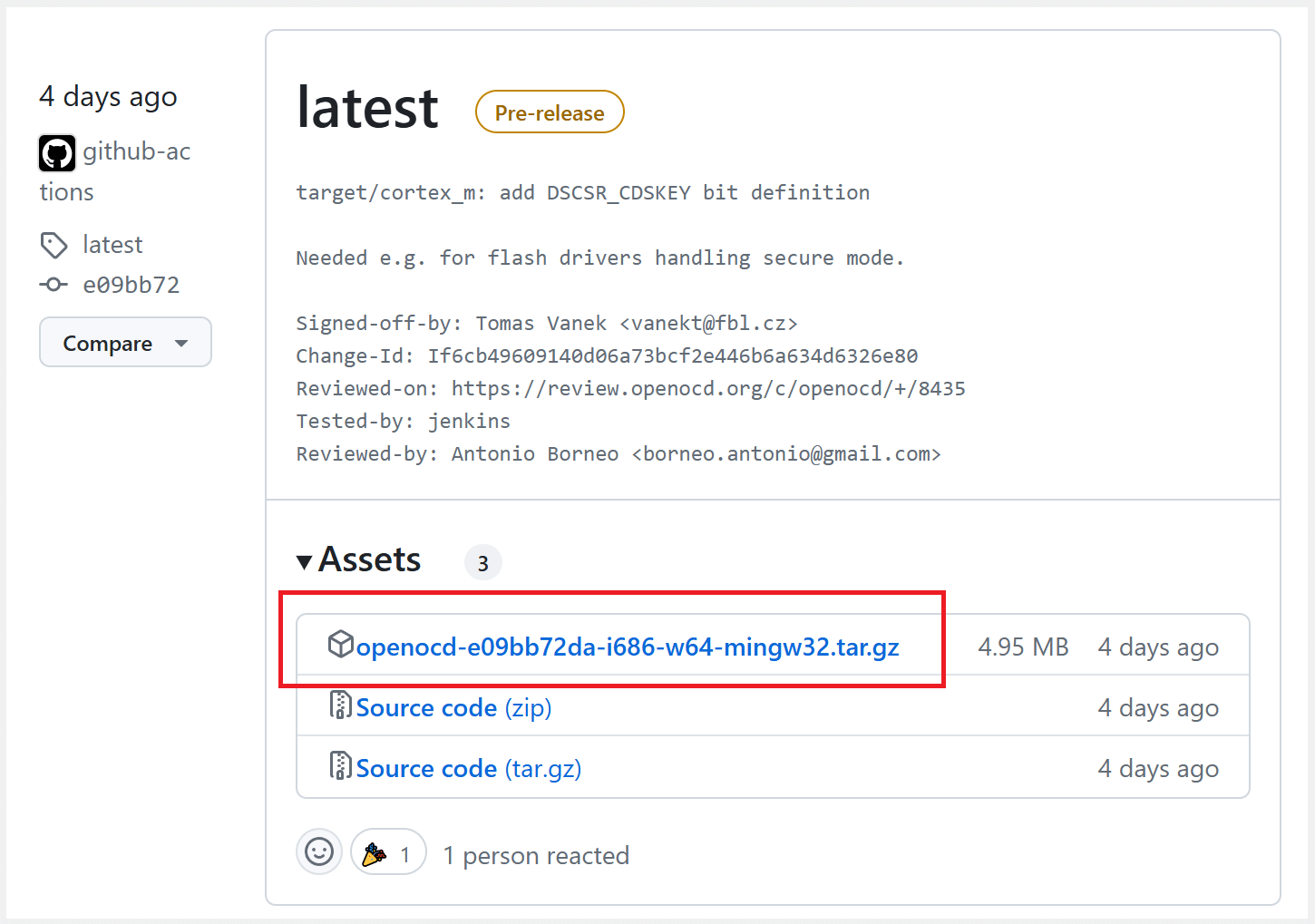
首先需要下载OpenOCD的程序包,然后解压到本地磁盘。
官方最新版本(giithub): https://github.com/openocd-org/openocd/releases
稳定版(国内可访问): https://sourceforge.net/projects/openocd/
为方便日常使用,可以将
openocd/bin/文件夹添加到计算机环境变量中(可以忽略此步骤)。

OpenOCD是一款基于命令行的软件,其命令由其
程序名和多个子命令组成。请确保已安装命令行操作软件-c "xxx"配置单个子命令-f xxx.cfg引入包含多个子命令的配置文件
在解压缩后的文件夹内打开
终端命令行工具, 使用如下命令即可下载固件
./bin/openocd.exe -c "source [find interface/cmsis-dap.cfg]" -c "transport select swd" -c "source [find target/stm32h7x.cfg]" -c "adapter speed 10000" -c init -c "reset halt" -c "wait_halt; flash write_image erase C:/Users/FanX_Tek/Desktop/MCU/723.hex" -c reset -c shutdown
./bin/openocd.exe主程序路径
-c "source [find interface/cmsis-dap.cfg]"指定调试器为DAPLink
-c "transport select swd"指定调试接口为
SWD-c "source [find target/stm32h7x.cfg]"指定芯片配置文件stm32h7x.cfg, 也可替换为
share/openocd/scripts/target目录下的其他文件-c "adapter speed 10000"指定调试器接口时钟频率为 10000 KHz
-c "wait_halt; flash write_image erase C:/Users/Hao/Desktop/MCU/723.hex"向芯片烧录hex文件。如果固件为bin文件,需要改为使用如下参数指定烧录地址
-c "wait_halt; flash write_image erase C:/Users/Hao/Desktop/MCU/723.bin 0x08000000"
正常下载后的输出信息如下
Open On-Chip Debugger 0.12.0+dev-g72ff2e2 (2025-03-15-10:37)
Licensed under GNU GPL v2
For bug reports, read
    http://openocd.org/doc/doxygen/bugs.html
adapter speed: 10000 kHz
Info : Using CMSIS-DAPv2 interface with VID:PID=0x0d28:0x0204, serial=4f5a6df4349ee6a400
Info : CMSIS-DAP: SWD supported
Info : CMSIS-DAP: JTAG supported
Info : CMSIS-DAP: SWO-UART supported
Info : CMSIS-DAP: Atomic commands supported
Info : CMSIS-DAP: Test domain timer supported
Info : CMSIS-DAP: FW Version = 2.1.0
Info : CMSIS-DAP: Interface Initialised (SWD)
Info : SWCLK/TCK = 0 SWDIO/TMS = 1 TDI = 1 TDO = 1 nTRST = 0 nRESET = 1
Info : CMSIS-DAP: Interface ready
Info : clock speed 10000 kHz
Info : SWD DPIDR 0x2ba01477
Info : [stm32f4x.cpu] Cortex-M4 r0p1 processor detected
Info : [stm32f4x.cpu] target has 6 breakpoints, 4 watchpoints
Info : [stm32f4x.cpu] Examination succeed
Info : [stm32f4x.cpu] starting gdb server on 3333
Info : Listening on port 3333 for gdb connections
[stm32f4x.cpu] halted due to breakpoint, current mode: Thread
xPSR: 0x01000000 pc: 0x08001058 msp: 0x20020000
Info : device id = 0x101f6413
Info : flash size = 1024 KiB
auto erase enabled
wrote 16384 bytes from file C:/Users/FanX_Tek/Desktop/STM32F407ZG_DEMO.hex in 0.630187s (25.389 KiB/s)
shutdown command invoked